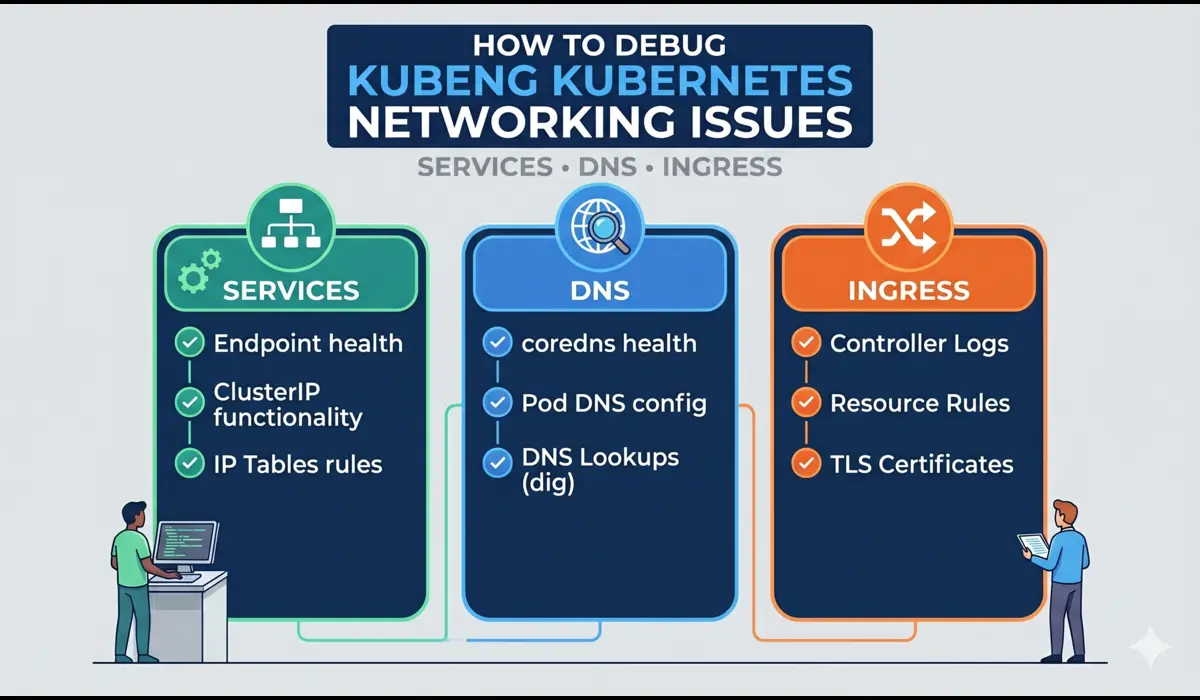
Kubernetes networking issues are among the most disorienting production problems you will face. The pod is Running. The container is healthy. The logs show no errors. But requests are timing out, DNS lookups are failing, or traffic is not reaching your service at all. Unlike a CrashLoopBackOff, which yells at you with a clear status, networking failures are subtle — they hide behind generic connection errors, 503s, or plain silence.
I have debugged Kubernetes networking problems across clusters running on EKS, GKE, and self-managed kubeadm setups. What I have found consistently is that 80% of networking issues fall into three categories: misconfigured Services (wrong selectors, wrong port mappings), broken DNS (CoreDNS not resolving, wrong search domains), and Ingress misconfigurations (wrong backend service names, missing annotations). This guide walks through the exact debugging steps for each — with real commands you can run in production right now.
Key insight: Kubernetes networking has four distinct layers — Pod-to-Pod, Pod-to-Service, DNS resolution, and external Ingress. Always identify which layer is broken before reaching for a fix.
Understanding the Kubernetes Networking Issue Stack
Before debugging, you need a mental model of what you are actually debugging. Kubernetes networking involves:
- Pod networking: Every pod gets a unique IP. Pods can talk to each other directly across nodes via a CNI plugin (Calico, Flannel, Cilium, etc.).
- Services: A stable virtual IP (ClusterIP) that load-balances traffic to matching pods using label selectors. kube-proxy writes the iptables or IPVS rules that make this work.
- DNS (CoreDNS): Every Service gets a DNS record. Pods resolve service names like payment-service.prod.svc.cluster.local via CoreDNS, which runs as a Deployment in kube-system.
- Ingress: An API object that routes external HTTP/HTTPS traffic to internal Services. Requires an Ingress Controller (nginx, Traefik, ALB, etc.) to actually function.
When a request fails, it is failing at one of these four layers. Your job is to isolate which one.
Step 1: Verify Basic Pod-to-Pod Connectivity
Start at the lowest layer. Before assuming a Service or DNS problem, confirm that pods can actually reach each other over the network. A broken CNI plugin will look exactly like a Service misconfiguration to the application.
Commands to Run
# Launch a debug pod in the same namespace
$ kubectl run debug-pod --image=busybox:1.35 --restart=Never -it --rm -n prod -- sh

# From inside the debug pod, ping another pod directly by IP
$ ping 10.0.4.25

# Get pod IPs
$ kubectl get pods -n prod -o wide
If the ping fails between pods on different nodes, your CNI is the problem, not your Service config. Check CNI pod logs in kube-system. If ping works, move to the Service layer.
Do not skip this step on managed clusters. EKS with custom VPC CNI configs, security groups, or custom network policies can break pod-to-pod traffic in ways that look like application errors.
Step 2: Debug Kubernetes Services
A Service that exists does not mean a Service that works. The two most common Service failures are wrong label selectors (the Service matches no pods) and wrong port mappings (targetPort does not match the actual container port).
Check if the Service Has Endpoints
This is the single most valuable command for debugging a broken Service:
$ kubectl get endpoints payment-service -n prod
# Broken output (no pods selected):
NAME              ENDPOINTS   AGE
payment-service   <none>      4d


# Healthy output:
NAME              ENDPOINTS                         AGE
payment-service   10.0.4.25:8080,10.0.4.26:8080   4d
If ENDPOINTS shows <none>, your Service selector does not match any running pods. Verify:
# Check what labels the Service is selecting
$ kubectl get service payment-service -n prod -o yaml | grep -A5 selector
# Check what labels the pods actually have
$ kubectl get pods -n prod --show-labels
A classic mistake is a label mismatch after a deployment rename. The Deployment gets a new label (app: payment-service-v2) but the Service still selects app: payment-service. No traffic reaches the new pods.
Verify Port Mapping
Even with correct selectors, a wrong targetPort will silently drop connections:
# Service says targetPort: 8080 but container listens on 3000
$ kubectl describe service payment-service -n prod | grep -E 'Port|TargetPort|Endpoints'
# Confirm what port the container is actually listening on
$ kubectl exec -it payment-service-abc123 -n prod -- ss -tlnp
Step 3: Debug Kubernetes DNS (CoreDNS)
DNS resolution failures are especially common after cluster upgrades, namespace changes, or when running multi-cluster setups. The symptom is usually: the app can reach an external IP directly but cannot resolve a service name.
Test DNS Resolution from Inside a Pod
$ kubectl run dns-debug --image=busybox:1.35 --restart=Never -it --rm -n prod -- sh
# Resolve a service in the same namespace
/ # nslookup payment-service
# Resolve a service in another namespace (must use FQDN)
/ # nslookup payment-service.prod.svc.cluster.local
# Resolve an external domain
/ # nslookup google.com
If internal service names fail but external domains resolve, CoreDNS is running but something is wrong with the cluster DNS config. If everything fails, CoreDNS itself is broken.
Check CoreDNS Health
# Check if CoreDNS pods are running
$ kubectl get pods -n kube-system -l k8s-app=kube-dns
# Check CoreDNS logs for errors
$ kubectl logs -n kube-system -l k8s-app=kube-dns --tail=50
Common CoreDNS errors include loop (DNS loop detected), SERVFAIL (upstream resolver unreachable), and plugin errors. The Corefile configmap in kube-system controls the CoreDNS configuration — a misconfigured upstream forwarder will break all external DNS resolution for every pod in the cluster.
$ kubectl get configmap coredns -n kube-system -o yamlStep 4: Debug Ingress
Ingress is the most configuration-heavy layer and therefore the most error-prone. Even experienced engineers regularly hit issues with annotation mismatches, TLS secret misconfiguration, and backend service name typos.
Confirm the Ingress Controller is Running
$ kubectl get pods -n ingress-nginx
$ kubectl logs -n ingress-nginx deployment/ingress-nginx-controller --tail=50
Inspect the Ingress Object
$ kubectl describe ingress payment-ingress -n prodThe describe output will show the backend service and port the Ingress routes to. Confirm this matches an actual Service name and port. A single character typo in the backend service name will cause a 503 with no obvious error in the application.
Common Ingress Failure: Wrong Annotation
# Missing class annotation causes Ingress to be ignored
annotations:
  kubernetes.io/ingress.class: nginx    # Required for nginx ingress controller
# Or the newer ingressClassName field on the spec
spec:
  ingressClassName: nginx
If you switch ingress controllers without updating this annotation, existing Ingress objects will stop working silently. The controller simply ignores them.
Test Backend Reachability Directly
# Bypass Ingress and test the Service directly via port-forward
$ kubectl port-forward service/payment-service 8080:80 -n prod
$ curl http://localhost:8080/health
If this works but Ingress does not, the problem is 100% in the Ingress layer. If this also fails, go back to Step 2.
Quick Reference: Networking Issue Diagnosis
| Symptom | Layer | First Command to Run |
| Pods cannot reach each other by IP | CNI / Pod networking | kubectl run debug-pod … ping <pod-ip> |
| Service returns connection refused | Service / kube-proxy | kubectl get endpoints <service> -n <ns> |
| nslookup fails inside pod | DNS / CoreDNS | kubectl logs -n kube-system -l k8s-app=kube-dns |
| 503 from external request | Ingress | kubectl describe ingress <name> -n <ns> |
| Service works, Ingress does not | Ingress controller | kubectl logs -n ingress-nginx deployment/ingress-nginx-controller |
| Cross-namespace service unreachable | DNS / FQDN | nslookup svc.namespace.svc.cluster.local |
Common Mistakes Engineers Make
- Using a short service name across namespaces: my-service only works within the same namespace. For cross-namespace calls, always use the FQDN: my-service.other-namespace.svc.cluster.local.
- Forgetting that NetworkPolicy is additive-deny by default: once you add a NetworkPolicy to a namespace, all traffic not explicitly allowed is blocked. Engineers enable NetworkPolicy and immediately break half their services.
- Testing with kubectl exec from the wrong namespace: running your DNS test from kube-system will give different results than running it from prod. Always test from a pod in the same namespace as your application.
- Assuming the Ingress controller is healthy without checking: the Ingress object can exist and look correct while the controller pod is OOMKilled or stuck in a restart loop.
- Overlooking kube-proxy mode: some clusters run IPVS mode instead of iptables. The debugging commands differ slightly. Check with kubectl get configmap kube-proxy -n kube-system -o yaml.
Pro Tips from Production
Tip 1: Use netshoot for Advanced Network Debugging
busybox is convenient but limited. For serious networking investigation, use the netshoot image which includes tcpdump, curl, nmap, dig, ss, and more:
$ kubectl run netshoot --image=nicolaka/netshoot -it --rm -n prod -- bash
$ tcpdump -i eth0 port 8080 -nn
Tip 2: Check iptables Rules on the Node
# SSH to the node and inspect rules created by kube-proxy
$ iptables -t nat -L KUBE-SERVICES -n | grep payment-service
# SSH to the node and inspect rules created by kube-proxy
$ iptables -t nat -L KUBE-SERVICES -n | grep payment-service
If the Service has correct endpoints but traffic still does not reach pods, missing iptables rules are a strong signal that kube-proxy is not healthy or the Service object was recently created and rules have not propagated.
Tip 3: Use kubectl port-forward as a Systematic Bypass Tool
Port-forward directly to a pod (bypassing both Service and Ingress), then to a Service (bypassing only Ingress). This two-step bypass systematically isolates which layer is broken without requiring external traffic or DNS.
FAQ
Why does DNS work for some services but not others?
Usually a namespace issue. Services in the same namespace resolve by short name. Services in other namespaces require the full FQDN. Check whether the failing lookups are cross-namespace calls using a short name.
My pod has the correct Service IP but connections time out. Why?
The most common cause is a NetworkPolicy blocking the traffic. Run kubectl get networkpolicy -n prod and check if any policy restricts ingress or egress for your pod. Also check if kube-proxy iptables rules are stale by restarting the kube-proxy DaemonSet.
The Ingress shows an IP but returns 404 or 502. What is wrong?
A 404 from nginx Ingress means the path rule does not match. Check the path regex and whether you need a trailing slash. A 502 means nginx reached the backend but got an error or no response — debug the Service and pod next.
How do I debug Ingress TLS issues?
# Verify the TLS secret exists and has the right keys
$ kubectl get secret tls-cert -n prod -o yaml
# Keys must be named tls.crt and tls.key
A missing or malformed TLS secret causes the Ingress controller to either reject the Ingress object or fall back to serving without TLS. Check the Ingress controller logs for certificate errors.
Conclusion
Kubernetes networking issues are solvable — but only if you resist the urge to randomly restart things and instead follow the network stack from bottom to top. Start with pod-to-pod connectivity, then validate your Service endpoints and port mappings, then test DNS resolution from inside the cluster, and finally audit your Ingress configuration and controller health. You can also learn more things about kubernetes networking policies.
The five commands that will resolve the majority of your production networking issues are:
- kubectl get endpoints <service> -n <namespace> — for Service debugging
- kubectl run dns-debug –image=busybox … nslookup <service> — for DNS
- kubectl logs -n kube-system -l k8s-app=kube-dns — for CoreDNS
- kubectl describe ingress <name> -n <namespace> — for Ingress
- kubectl port-forward service/<name> <local>:<remote> — to bypass layers
The best debugging strategy is elimination: prove each layer works before moving to the next. If port-forward to the pod works but the Service does not, you have isolated the problem to exactly one layer. From there, the fix is rarely more than a selector or port correction away.
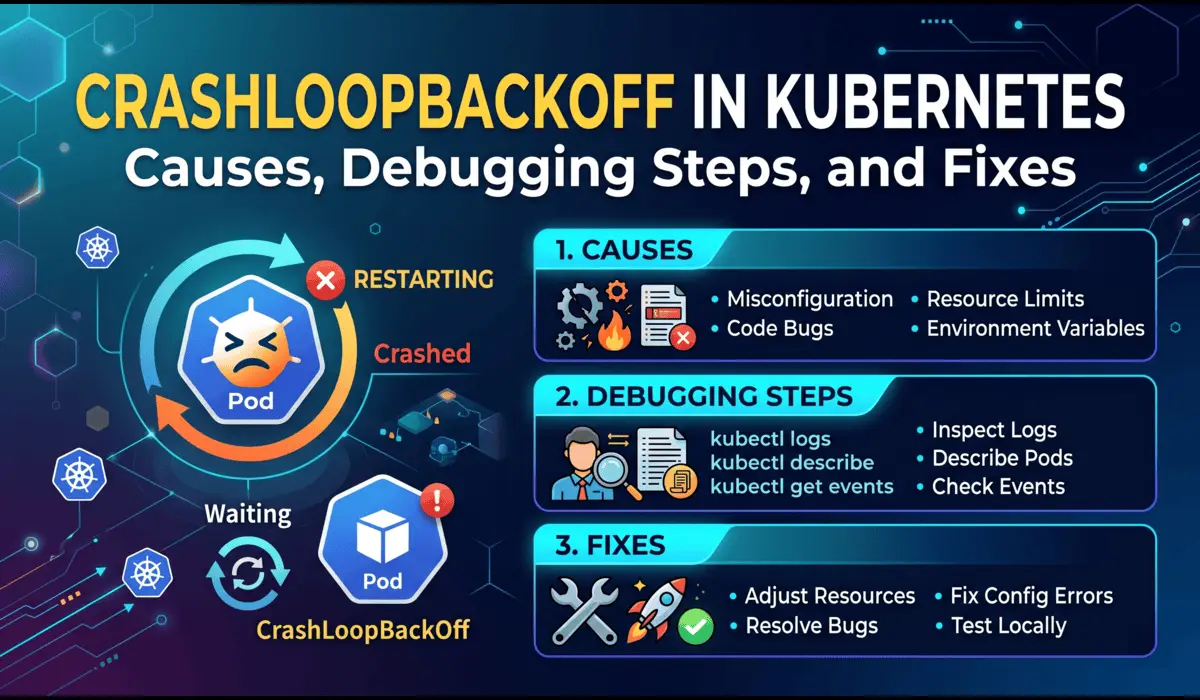
You can learn about kubernetes crashloopbackoff error.

Pratik Shinde
Pratik Shinde is a DevOps and Cloud professional based in Pune, Maharashtra, India, with hands-on experience in building and managing scalable systems. Working in top multinational Organization as Devops Engineer with experience of 10+ years. He has a strong working background in DevOps, Kubernetes, and cloud platforms, along with practical exposure to artificial intelligence and machine learning concepts. He also shares knowledge and learning resources on platforms like LinkedIn and other social channels, aiming to simplify complex topics and make them accessible to a wider audience. Linkedin URL: https://www.linkedin.com/in/pratikshinde8494/ . Github URL: https://github.com/PratikShindeGithub